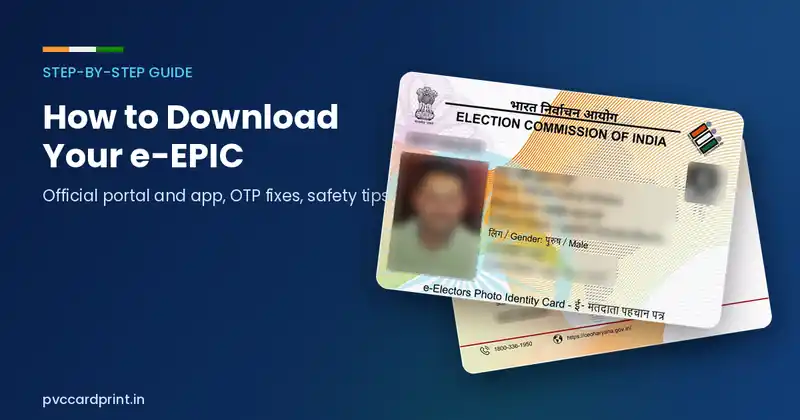
Quick answer: Log in to the Election Commission of India’s Voters’ Service Portal or Voter Helpline app with your registered mobile number, choose Download e-EPIC, enter your EPIC number, verify the OTP, and save the PDF. It is free. If your mobile number is not linked, update it with Form 8 first.
You do not have to wait for a postal card to carry your voter ID. The Election Commission of India (ECI) lets registered voters download a digital version called the e-EPIC. This guide walks through the download process, the common reasons it fails, and what you can do with the file afterwards.
What is the e-EPIC?
The e-EPIC is a secure, non-editable PDF version of your Electors Photo Identity Card. The ECI introduced it on 25 January 2021, National Voters’ Day. It contains your photo, EPIC number, details and a QR code, and you can keep it on your phone, store it in a document folder or print it. If you have not read about the card itself, start with What is a Voter ID (EPIC) card?
What you need before you start
- Your EPIC number, or your reference/file number if you recently applied.
- A mobile number registered with the electoral roll entry. The OTP goes to this number.
- A phone or computer with internet access.
If your mobile number is not linked, you must complete a KYC or correction step first. See the section below.
Steps to download from the Voters’ Service Portal
- Open the official portal of the Election Commission of India for voter services. Check that the web address ends in eci.gov.in before logging in.
- Create an account or log in using your mobile number and the OTP you receive.
- Choose the Download e-EPIC option.
- Enter your EPIC number (or reference number) and select your state if asked.
- Verify the OTP sent to your registered mobile number.
- Complete the face or document KYC step if the portal asks for it, then click download.
- Save the PDF in a safe folder. Some files open with a password rule shown on the portal; follow the instruction displayed there.
Using the Voter Helpline app
The ECI also offers a Voter Helpline mobile app. After you sign in with your number, the same e-EPIC download option appears in the menu. Download the app only from the official app store listing published by the Election Commission and check the developer name before installing.
Why the download fails and what to do
| Problem | Likely cause | What to try |
|---|---|---|
| OTP does not arrive | Mobile not linked, network delay | Wait a few minutes, retry once, and check the number on your electoral roll record. |
| “Mobile number not registered” | Number is missing in the roll entry | File Form 8 to update your details, or contact your Booth Level Officer. |
| e-EPIC not available | Already downloaded, or the roll entry is being updated | Wait for pending applications to complete, then try again. |
| Wrong photo or name | Error in the roll | Correct it with Form 8. See our forms guide. |
Is the printed e-EPIC accepted?
The downloaded e-EPIC is an official digital document. For use at polling stations or by any office, acceptance depends on the rules of that authority. Keep the digital file on your phone and a printout or card for everyday use. If you prefer a durable copy, you can have the PDF printed on a PVC card. Read PVC voter card: valid or not? before ordering so that you know what a private print is and is not.
Print your e-EPIC on a PVC card
Our Voter ID (EPIC) PVC card print accepts the PDF you downloaded or a clear photo. West Bengal voters can use the dedicated West Bengal e-EPIC card. We print what you upload without editing the fields.
Safety tips
- Never give your OTP to anyone who calls you, even if they say they are from the election office.
- Avoid sites that ask you to pay for a “free” download.
- Do not upload your PDF to random tools, since the QR code and number are personal data.
Frequently asked questions
Can I download my Voter ID without a mobile number?
The portal normally verifies you through an OTP on your registered mobile. If no number is linked, update your details through Form 8 or your local election office first.
Is the e-EPIC free?
Yes. Downloading the e-EPIC from the official portal or app costs nothing.
Can I download my voter card by name only?
You can search the roll by name and details to find your EPIC number, but the download itself needs OTP verification tied to the registered mobile.
Reviewed October 2026. Portal screens and options change from time to time. Always follow the instructions on the official Election Commission of India website. DM Incorporation is a private printing service and is not associated with the ECI.